Smartwatch Apps, Rich Text for Bots, AI Guardians for Groups, and Much More


Today's update lets you wear Telegram on both wrists and brings dozens of new features and improvements.
- Get Telegram on your Apple Watch or Android smartwatch to:
- Send text and voice messages
- Listen to voice messages
- View media and video messages
- Read long messages
- Preview locations
- Send stickers
- Manage your chats
- Receive formatted messages from bots with dozens of rich text options:
- Inline media, carousels, and collages
- Tables and nested blockquotes
- Headings and anchors
- Collapsible sections and footnotes
- Math formatting and formulas
- Superscript, subscript, and moooooo0000000re
- Add AI guardians to screen people before they join your groups.
- Include links in poll options.
- Open .md files directly in the Telegram Browser.
- Control which links open in your preferred browser.
- See more of your chats with new header bars on Android.
Watch Apps for Everyone!
Most people have at least one arm, and some of them have a smartwatch. If all of the above is true for you — rejoice: we have new apps for Apple Watch and Android Wear OS.
Now you can browse chats and media, and read messages of any length without risking to drop your phone. Feel free to listen to voice messages and watch videos if there's nobody in the next stall. You can also send text messages — or voice messages, if your hands are busy zipping up.
For some reason, our Android developer added muting and pinning chats, as well as deleting messages. Meanwhile, the iOS developer added viewing locations and sending stickers. Why?? We will never know. We've convinced them to steal these features from each other in the next update.
If you're using a Huawei watch and can't run the Wear OS app, ask nicely — our developers will make an app for you too. If you're using something truly exotic, watch this or make your own app.
Obscenely Rich Text Formatting for Bots
Telegram is where AI bots go to meet, chat, and compete. If you manage to get a bot's attention, it can now respond with rich text — so rich you'll want to start a riot and demand to tax it.
This includes formatting, tables, blockquotes, checklists, inline images, the weird sh#t you need to spell Elon's son's name, and oh so much more.
Bots can also pack a LOT of this stuff into one message — up to 32,768 characters now, with a merciful Show More button after the first 8,000 or so.
Developers are welcome to study our rich text formatting docs here.
Guardian Bots for Group Chats
If you need some smart muscle to guard the door to your group chat, you can add AI bots as admins to process join requests. Naturally, they can also smite the unrighteous who post in the chat, if you want them to.
AI Guardians can use flexible mini-app interfaces to screen new applicants — like finally making people pass an IQ test before posting comments.
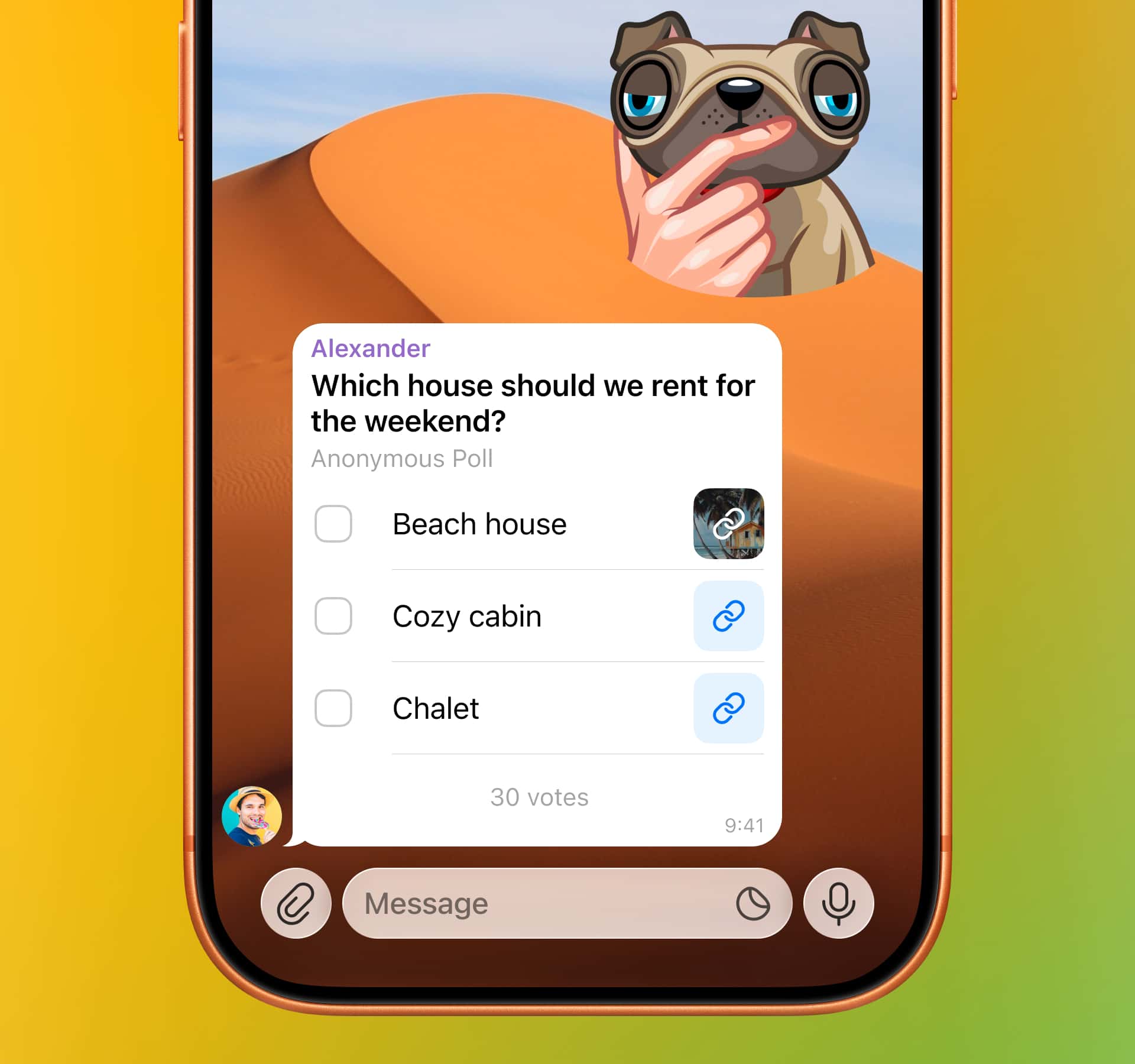
Links in Poll Options
You can already do so many things with polls that Telegram could work as a standalone polling app. But is that enough? Never!
Poll options can now include links — for more context and a healthy dose of this.
Support for MD Files
The in-app browser now supports Markdown files in .md format and natively renders the text.
We simply couldn’t rest until a billion-plus Telegram users, mothers and fathers, grandmas and grandpas, and other demographics could open their .md files and view the Markdown properly.
Quick Browser Selection
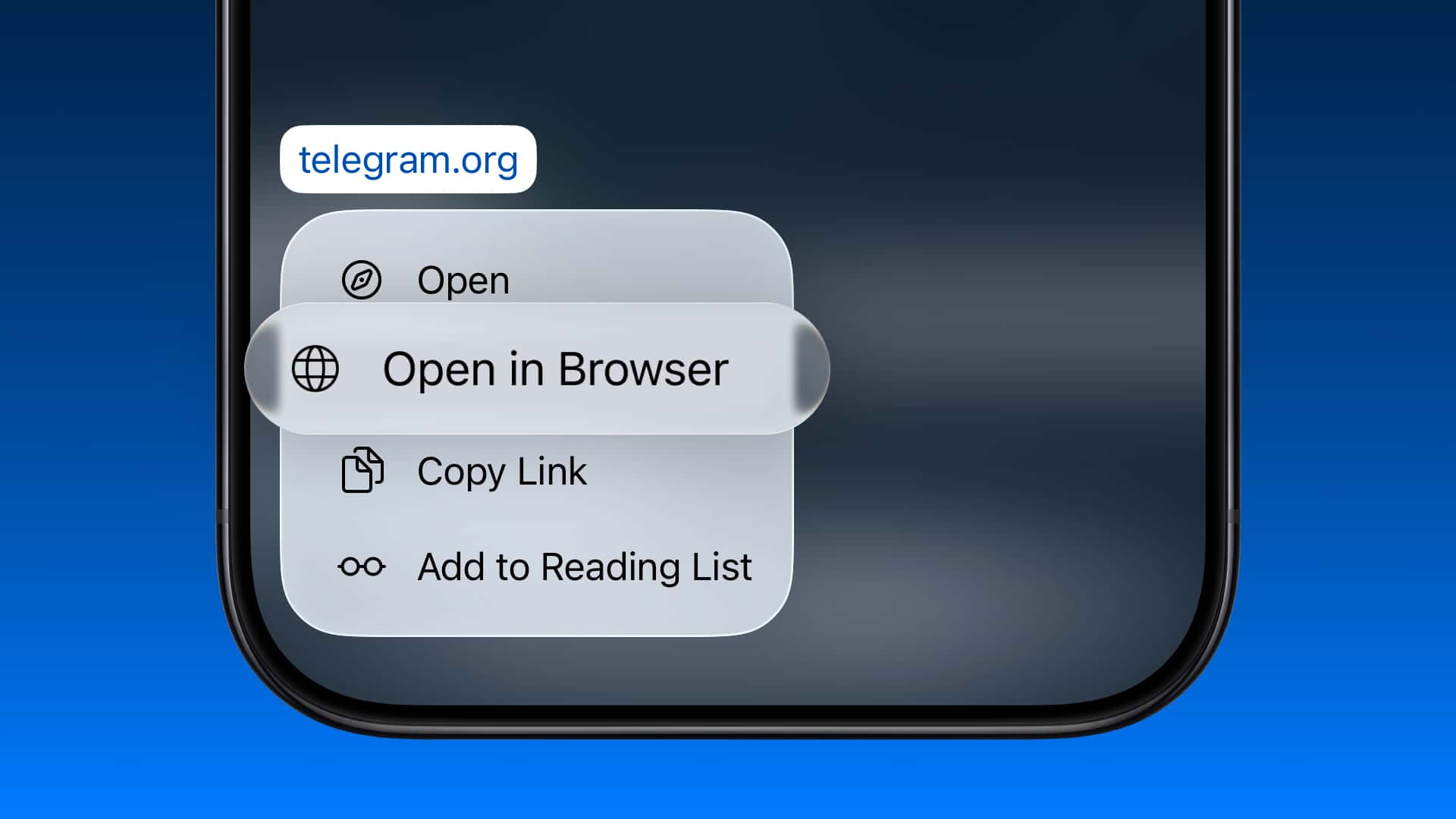
Links to external sites can be opened right in the Telegram Browser or in your preferred app. Now you can easily choose a different browser from your default when you long press a link — no more copy-pasting links or switching apps.
Seriously, are you still reading this? Did your AI assistant fail to make a summary? Well then, there's more!
On both Android and iOS, you can whitelist sites to always open or never open in the Telegram Browser. By the way, the Telegram Browser does not store browsing history — so your “course research” and “homework assignments” are totally safe.
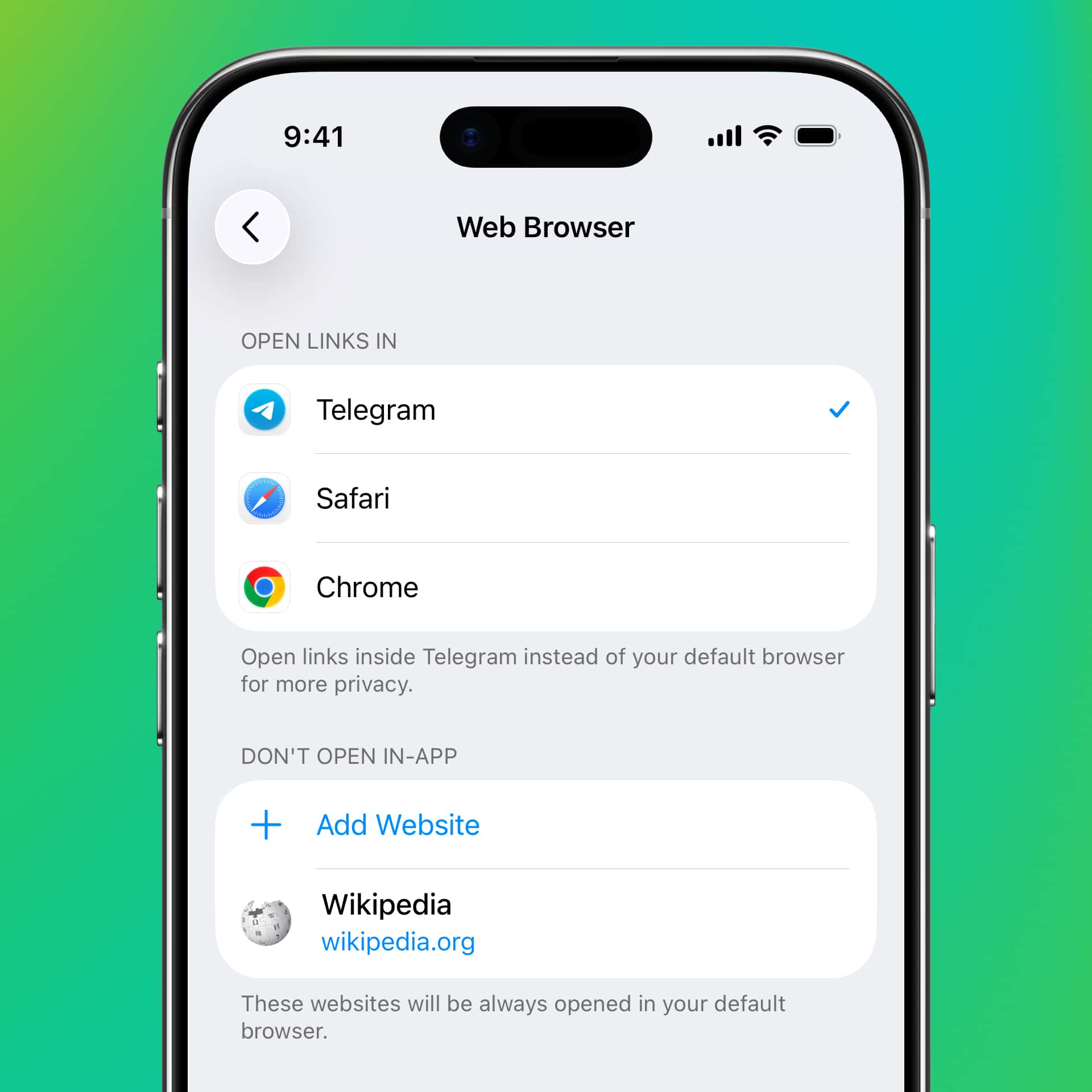
To manage your browser settings, go to Settings > Chat Settings > In-App Browser on Android or Settings > Privacy and Security > Open Links in on iOS.
This is where we usually add some kind of tie-in to the main topics and tell you that we have more features underway.
ok bye
June 11, 2026
The Telegram Team
Other News

환영 메시지, 메시지 내 버튼 및 서명된 선물

리치 텍스트 에디터, 커뮤니티, 그룹 내 휘발성 메시지, 3억 5천만 개의 GIF

스마트워치 앱, 봇을 위한 리치 텍스트, 그룹을 위한 AI 가디언, 그리고 그 외에도 다양한 기능
